

Crypto Token Approvals and Allowances: How to Review and Revoke
Learn what an ERC-20 approval lets a smart contract do, how unlimited allowances and permit signatures work, and what revoking an approval does—and does not—change.
In this guideConnecting a wallet and approving a token are different permissions
Short summary
An ERC-20 `approve` call does not normally send tokens immediately. It records how much a specific spender contract may later request through `transferFrom`. Disconnecting a wallet from a site does not necessarily remove that on-chain allowance, and setting it to zero cannot reverse a transfer that already happened.
Connecting a wallet and approving a token are different permissions
A site connection usually lets an app see a public address and request wallet signatures. It does not, by itself, authorize the app to move every ERC-20 token. A token allowance is stored separately in the token contract. MetaMask likewise distinguishes disconnecting a dapp from revoking token approvals.
An ERC-20 allowance is associated with a token contract, chain, owner address, and spender address. An approval for a spender to use a token on Ethereum is not the same permission as an approval for another token or the same token on Polygon. Remembering only that “I approved this site” can hide which token and network still have an active allowance.
This guide focuses on ERC-20 approve, allowance, and transferFrom on Ethereum and compatible networks. Native ETH transfers, NFT setApprovalForAll, other token standards, and wallet login connections use different permission models. Key backup and recovery are separate topics; see the guide to wallet seed phrases and recovery.
`approve` records a spending limit; it does not send the token
With ERC-20, an owner can call approve(spender, amount) on the token contract to let a named spender use up to that amount. The standard transferFrom function lets that spender move tokens on the owner’s behalf. So an approve transaction does not normally move the balance by itself, but a later contract call can consume the allowance. This is the allowance flow defined by the ERC-20 standard.
For example, if a wallet holds 300 tokens and grants one router an allowance of 80, a conventional ERC-20 spender is limited by the smaller of the remaining allowance and the owner’s balance. The permission may cover more than one trade: a contract can call transferFrom multiple times. If the approved contract or its intended call path is abused, tokens may move in ways the user did not expect. Nonstandard token behavior and extra restrictions also matter.
An approval is usually an on-chain transaction to the token contract and may require a network fee. Some apps separate approval and swap into different transactions; others combine a signature-based permission with a later transaction. Do not infer the exact action from a button labeled “Approve”—inspect what the wallet is asking you to sign and on which network.
An unlimited allowance is not an immediate withdrawal
A wallet’s “Unlimited” label often represents an allowance near the token’s maximum integer value. It does not create infinite tokens or transfer the current balance at approval time. It can, however, leave the spender able to use that token’s allowance later, including against tokens that arrive in the same wallet on the same chain. Some implementations preserve a maximum allowance rather than decrementing it, so check how the token handles that value.
Apps may request a broad limit to reduce repeated approval steps, but convenience and exposure should be considered together. If the spender contract has a vulnerability or its control is abused, an old approval can be used later. Ethereum.org’s revocation guide explains why a broad allowance can remain relevant after users move assets back into their wallet.
A smaller allowance does not remove every risk. Approving a counterfeit token or the wrong spender can still cause harm, and repeatedly approving may add fees and opportunities for mistakes. Consider the intended amount, how often you will use the app, how much you trust the spender, and whether you can inspect the allowance again.
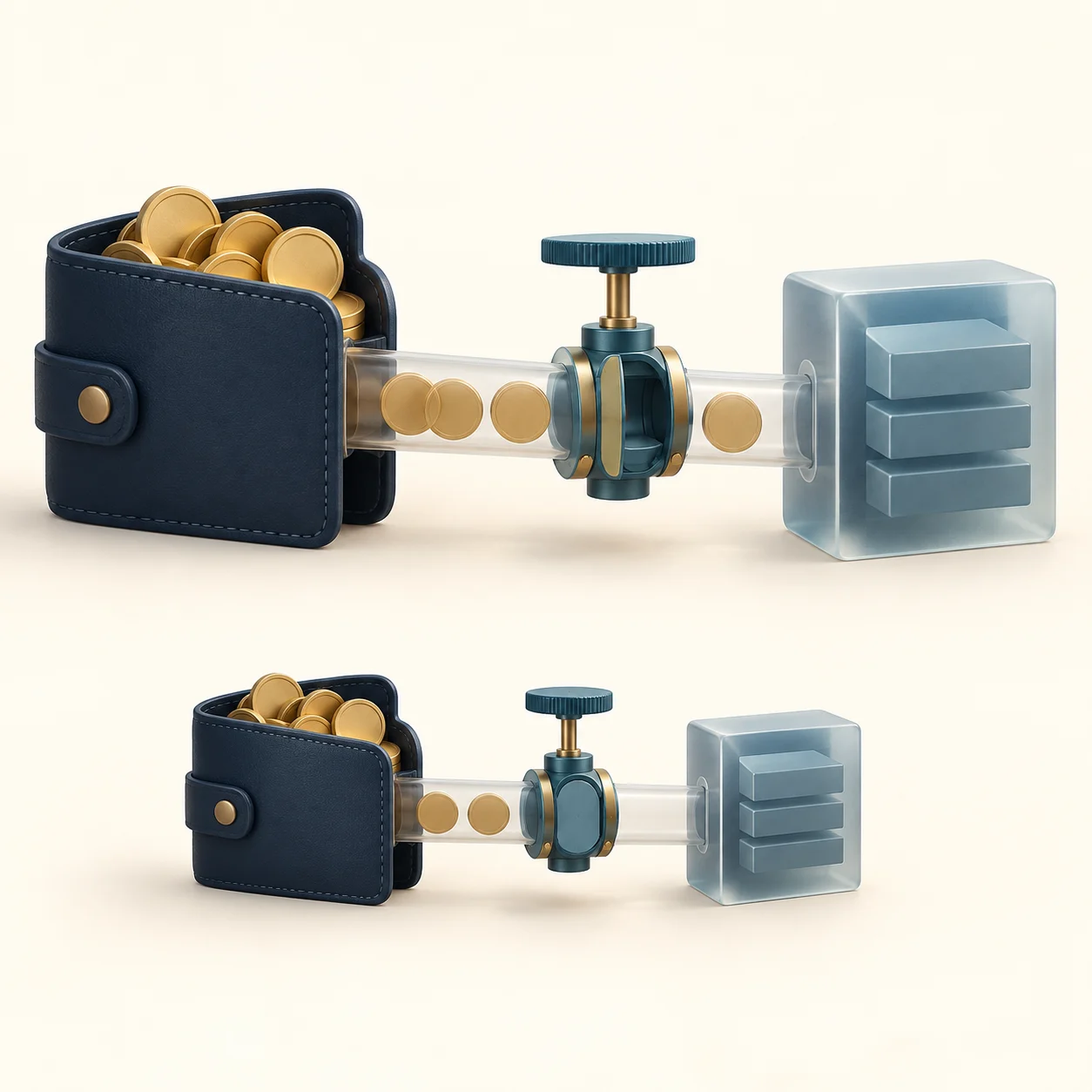
Check the chain, token, spender, and amount before signing
Before you sign, check four details. First, confirm the selected network matches the one named by the app. Second, verify the token contract rather than relying only on its ticker or logo. Third, compare the spender address with the address in the project’s official documentation or verified contract information. Fourth, decide whether the requested limit matches the planned action or leaves a broad permission in place.
Do not connect from a link in a direct message, QR code, support chat, or an unverified ad. A phishing page can imitate a real app. Start from a saved official address or the project’s own documentation, and do not trust a contract address only because its displayed name looks familiar. A block explorer’s verification label does not certify that the contract is safe.
A hardware signer can help keep a private key away from a regular browser, but it cannot decide whether the spender or amount you approve is safe. If the device cannot show the request in a form you can understand, pause and check the wallet provider’s official explanation. Limited transaction details also limit what you can review.
A `permit` signature changes the approval path, not the permission
Some ERC-20 tokens support ERC-2612 permit. Instead of submitting a standard approve transaction, the owner signs typed data; another party can submit that signature to set the token allowance. The standard message includes the owner, spender, value, nonce, and deadline, with a domain that helps bind the signature to a chain and contract.
The ERC-2612 deadline is the last time the signed permit can be submitted. It does not mean that an allowance already set by a successful permit automatically expires at that time. The allowance can remain until it is used, changed, or revoked. Some tokens use different permit designs or extra expiry rules, so do not assume every wallet prompt called “permit” follows ERC-2612.
A signature can let another account pay the transaction fee, but that does not make every signature a harmless login check. If the wallet does not clearly show the token, spender, value, and relevant timing—or the details do not match the app’s explanation—decline and consult the project’s official documentation. An unsubmitted signature may still be submitted by someone before its stated deadline.
Disconnecting a site does not revoke an on-chain allowance
Logging out or disconnecting a wallet changes a browser session or connection permission. An ERC-20 allowance already stored in a token contract can remain. Conversely, revoking an allowance does not erase a site’s knowledge of a public address or past on-chain history. MetaMask’s disconnect guide explains this distinction.
Revoking usually means submitting an on-chain transaction that sets the allowance for that token and spender to zero. The transaction costs a network fee, and the old permission can remain active until it is confirmed. Afterward, refresh the approval list or query the token contract again to confirm that the value is zero for the same wallet, chain, token, and spender. MetaMask’s approval guide and Ethereum.org describe network-specific approval checkers; whichever tool you use, verify its official domain and selected network.
Each chain stores its own state. Setting an Ethereum allowance to zero does not automatically change the permission for the same token on another network. Check every relevant account, token contract, spender, and chain, then verify the transaction’s final result. A revocation tool should never need your seed phrase or private key.
Revocation blocks future use; it does not reverse a completed transfer
After an allowance of zero is confirmed, that allowance cannot support a new transferFrom. Revocation does not reverse transfers that already completed, recover tokens from a recipient, or remove unrelated contract permissions. If tokens have already moved under a suspicious approval, setting the allowance to zero is not a recovery method.
If the wallet’s private key is exposed, an attacker may still sign transactions by other means. Separate approvals for other spenders or tokens, NFT operator permissions, permit signatures, and contract-specific authorities may also remain. Interpret the result only within the exact wallet and chain whose permissions you checked.
A revoked spender may need a new approval the next time you swap, deposit, or redeem. Before revoking, check whether the permission is used by an unfinished transaction or an active protocol position, and consult that protocol’s official help if needed. The point is to know which workflow changes when the permission changes.
Changing an allowance can involve an ERC-20 race condition
The ERC-20 standard advises interfaces to set a nonzero allowance to zero before replacing it with another nonzero value. If a spender’s transaction is ordered between the old and new approvals, the spender may be able to use more than the user expected. For example, while changing an allowance from 100 to 25, the spender could use the old 100 before the new 25 is recorded, leaving both amounts usable in sequence.
Confirming a zero allowance before setting a new amount reduces the chance that old and new values overlap, but it cannot undo use of the old allowance before the zero transaction is confirmed. The two steps may each cost a fee, and token behavior can vary. Follow the wallet or token’s documented safe update flow and wait for confirmation before moving to the next step.
If you are unsure of the current allowance, query the token contract on the selected network before replacing it. If the wallet shows no allowance or an unexpected token, make sure you are not looking at a different chain or address. Both the owner address and token contract address must match the permission you intend to review.
Use a short review routine for wallet and token permissions
- Confirm the project’s official domain and the selected chain.
- Verify the token contract and spender address, then compare the allowance with the amount the planned action needs.
- Read the actual transaction or typed-data request in the wallet. Do not sign a request you cannot understand.
- Check allowances on the relevant network after using a spender you no longer trust; set unused permissions to zero when appropriate and confirm the result.
- When comparing wallets, check supported networks, how clearly they display approvals, and whether their update and recovery guidance is understandable.
A hardware wallet is one option for key storage and transaction review, not a guarantee that a contract is safe or that a user cannot approve a broad limit. Do not expect the signing screen to make the decision for you. Check the spender, token, network, and amount yourself. Understanding that token allowances can persist separately from app connections also helps when comparing wallet security features and their real limits.
Common questions
Q1Does disconnecting my wallet remove an existing token approval?
No. A site connection is a wallet session; an ERC-20 allowance is on-chain state in the token contract. Check the relevant chain and token, then revoke the spender’s allowance separately if needed.
Q2If I set an allowance to zero, can I recover tokens already taken?
No. Zeroing the allowance blocks later use after the change is confirmed; it does not reverse a completed transfer. Check other approvals and key exposure separately.
Q3Do all crypto tokens and NFTs use ERC-20 allowances?
No. This guide covers ERC-20 approve and transferFrom. NFT operator approvals, native assets, other token standards, and chain-specific permissions follow different rules.
Sources and further reading
Report an issue
We’ll prepare an email with this article link. Mark receives the report only after you send it
Quick check
Read the guide? Check yourself with 3 questions
Question 01
What does ERC-20 `approve(spender, amount)` primarily do?
Choose an answer to see the explanation
Options glossary
The process that requires an option writer to fulfill the contract after an exercise notice is allocated; it can create or remove an underlying position.
Read the deeper guideBid-ask spreadThe gap between the best displayed bid and ask, which is a practical trading cost and a signal of how uncertain an immediate fill may be.
Read the deeper guide